Ora de volta a mais uma curiosidade!
Para aqueles que muito sacam na internet e por aí fora, e usam o jdownloader como gestor de downloads, e têm um router da MEO, nomeadamente o THOMSON TG784, uns mossos no www.ne-miguelito.com conseguiram resolver o assunto.
Bem comecemos:
Passo 1 :: ter o telnet activo no windows 7;
usar a combinação de teclas WIN + R ;
escrever "appwiz.cpl" ;
separador esquerdo "activar ou desactivar funcionalidades do windows";

após alguns segundos aparecerá uma série de serviços, activar o "Cliente Telnet".

feito isto OK e aguardar enquanto o telnet é instalado;
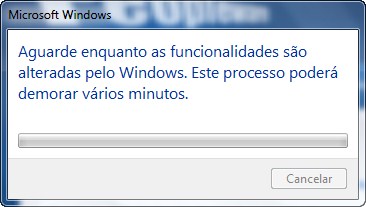
fechar até voltarmos onde começamos.
Passo 2 :: Criar o script de reconecção
Abrir o wordpad, e colocar o seguinte texto dentro dos símbolos '=' no mesmo:
==============================
Set oShell = CreateObject("WScript.Shell")oShell.run "cmd.exe"
WScript.Sleep 500
oShell.SendKeys "telnet 192.168.1.254"
oShell.SendKeys ("{Enter}")
WScript.Sleep 500
oShell.SendKeys "microuser"
oShell.SendKeys ("{Enter}")
WScript.Sleep 500
oShell.SendKeys "!C0nf16,M30"
oShell.SendKeys ("{Enter}")
WScript.Sleep 500
oShell.SendKeys "ppp"
oShell.SendKeys ("{Enter}")
WScript.Sleep 500
oShell.SendKeys "ifdetach"
oShell.SendKeys ("{Enter}")
WScript.Sleep 500
oShell.SendKeys "Internet"
oShell.SendKeys ("{Enter}")
WScript.Sleep 500
oShell.SendKeys "ifattach"
oShell.SendKeys ("{Enter}")
WScript.Sleep 500
oShell.SendKeys "Internet"
oShell.SendKeys ("{Enter}")
WScript.Sleep 500
oShell.SendKeys "% "
oShell.SendKeys "exit"
oShell.SendKeys ("{Enter}")
WScript.Sleep 500
oShell.SendKeys "exit"
oShell.SendKeys ("{Enter}")
==============================
Guardar o ficheiro como "restart_tg784.vbs"
Passo 3 :: Configurações avançadas no Jdownloader
Colocar as definições como indicadas na imagem abaixo (first ip check=5, max repeats=0, timeout=60).
 Nas configurações seguintes colocar o caminho para onde se encontra o script que criaram agora, no campo "Command (use absolute directory paths)" no meu caso "D:\My Scripts\meo_restart.vbs"
Façam o "change ip" e vejam se funciona, no meu caso consegui reconectar a internet em 9 segundos xD
Até uma próxima e obrigado pelas mentes brilhantes na internet que partilham o seu conhecimento ;)
Variáveis de Sistema:
#Windows 7 x86
#Jdownloader 0.9.580
Fontes do post:


Informação muito útil obrigado já está a bombar.